









Introduction
Your smartphone is much more than a device for calls and messages. It may contain photos, private conversations, emails, banking apps, passwords, contacts, documents, and social media accounts. Losing control of your phone can therefore create serious problems. Mobile security helps protect your device and the information stored on it. It includes simple habits such as using a strong screen lock, installing updates, checking app permissions, and avoiding suspicious links. It also includes stronger protections such as multi-factor authentication, secure backups, device tracking, and account recovery methods. The good news is that you do not need to become a cybersecurity expert. Most important protections are easy to set up. The bigger challenge is using them consistently. This guide explains the main mobile security risks and practical ways to reduce them. It covers both Android and iPhone users. You will also learn what to do if your phone is lost, stolen, infected, or exposed to a suspicious message.
What Is Mobile Security?
Mobile security means protecting smartphones, tablets, mobile applications, accounts, networks, and personal information from unauthorized access or harmful activity. It covers both technical protections and everyday user habits. A secure phone uses several layers of protection rather than relying on one feature. Your screen lock protects physical access. Software updates help fix known security problems. App controls reduce unnecessary access to private information. Strong account authentication can protect online services if someone learns your password. Safe browsing habits can reduce phishing and scam risks. Mobile security also includes protecting your data when connecting to networks or using public devices. The goal is not to make your phone impossible to attack. No security system can promise that. The goal is to reduce common risks and limit damage if something goes wrong. NIST describes mobile application security as involving security requirements, testing, and evaluation of apps before deployment. Good mobile security combines technology with smart decisions.
Why Mobile Security Matters Today
People use smartphones for many sensitive activities. You may check your bank account, manage email, store photographs, use payment services, or access work systems. A compromised phone can therefore expose more than a few files. It may provide access to accounts connected to the device. This makes phone security an important part of personal cybersecurity. Attackers may use malicious apps, fake websites, phishing messages, stolen passwords, or social engineering. Some attacks require advanced technical methods. Others simply trick users into giving away information. That is why basic security habits matter. A suspicious message can be dangerous even when your operating system is fully updated. Similarly, a strong password may not protect you if you enter it into a fake website. Security works best as a layered system. Use device protection, account protection, software updates, safe app practices, and careful online behavior together. These steps can make common attacks harder and reduce the impact of mistakes.
Use a Strong Screen Lock
Your screen lock is one of the simplest security controls on your phone. It creates a barrier between your information and someone who physically holds your device. Use a strong PIN or password instead of an easy number that someone could guess. Avoid obvious choices such as birthdays or repeated digits. If your phone supports secure biometrics, such as Face ID, Touch ID, or fingerprint authentication, you can use them as part of your protection. However, understand how your device handles biometric security and passcodes. Your device passcode remains important. Never share it casually with other people. Be careful when entering it in public places. Someone nearby could observe it. Screen lock settings also affect how much information appears while the phone is locked. Consider hiding sensitive message previews if other people could see your screen. A strong lock cannot prevent every attack. It does, however, create an important first layer. If your phone is lost or stolen, that barrier may protect your personal information while you take additional recovery steps.
Keep Your Phone Updated
Software updates are one of the most important mobile security habits. Updates can include fixes for security vulnerabilities, along with improvements and new features. Delaying updates can leave known weaknesses unpatched. Android provides settings where users can check their Android version, security update status, and Google Play system update status. Apple also publishes security information for its operating systems, including details about vulnerabilities addressed by particular releases. Turn on automatic updates when practical. Also update apps regularly. Do not assume that an old phone is automatically unsafe. Instead, check whether the manufacturer still provides security support for your particular model. If a device no longer receives important security updates, consider replacing it when practical. Keep enough storage available for updates to install successfully. If an update requires a restart, complete it rather than postponing it indefinitely. Security updates are not merely optional improvements. They can close known security gaps that attackers may try to exploit.
Install Apps Carefully
Apps can provide useful features, but they can also introduce security and privacy risks. Install apps from trusted sources whenever possible. Google recommends Google Play and warns that apps from unknown sources can put your device and personal information at risk. Before installing an app, check its developer, reviews, download information, and requested permissions. Be careful when an app asks for access that does not fit its purpose. A simple flashlight app may not need access to your contacts or messages. Do not install apps simply because someone sends you an unfamiliar download link. Fake apps can imitate popular services. Some may attempt to steal passwords, display unwanted advertising, or collect sensitive information. Remove apps you no longer use. Fewer installed apps can make your phone easier to manage. Keep your app store account secure as well. Review your installed applications from time to time. If you see something you do not remember installing, investigate it before opening or trusting it.
Understand App Permissions
App permissions control what applications can access on your phone. Depending on your device and operating system, permissions can involve location, camera, microphone, contacts, photos, files, notifications, and other information. Do not approve every request automatically. Think about whether the permission makes sense. A navigation application may reasonably need location access. A photo editing app may need access to selected photos. But unrelated permissions deserve more attention. Review permissions regularly, especially after installing new apps. You can often change access later through your device settings. Android’s Google Play Protect can also reset permissions for some unused apps on supported Android versions. Remember that permissions are only one part of privacy. An app can still collect information through normal functionality or online services. Read privacy information when practical. If an application demands broad access that you do not feel comfortable providing, look for another option. Managing permissions helps you keep more control over what apps can access.
Protect Your Accounts With Multi-Factor Authentication
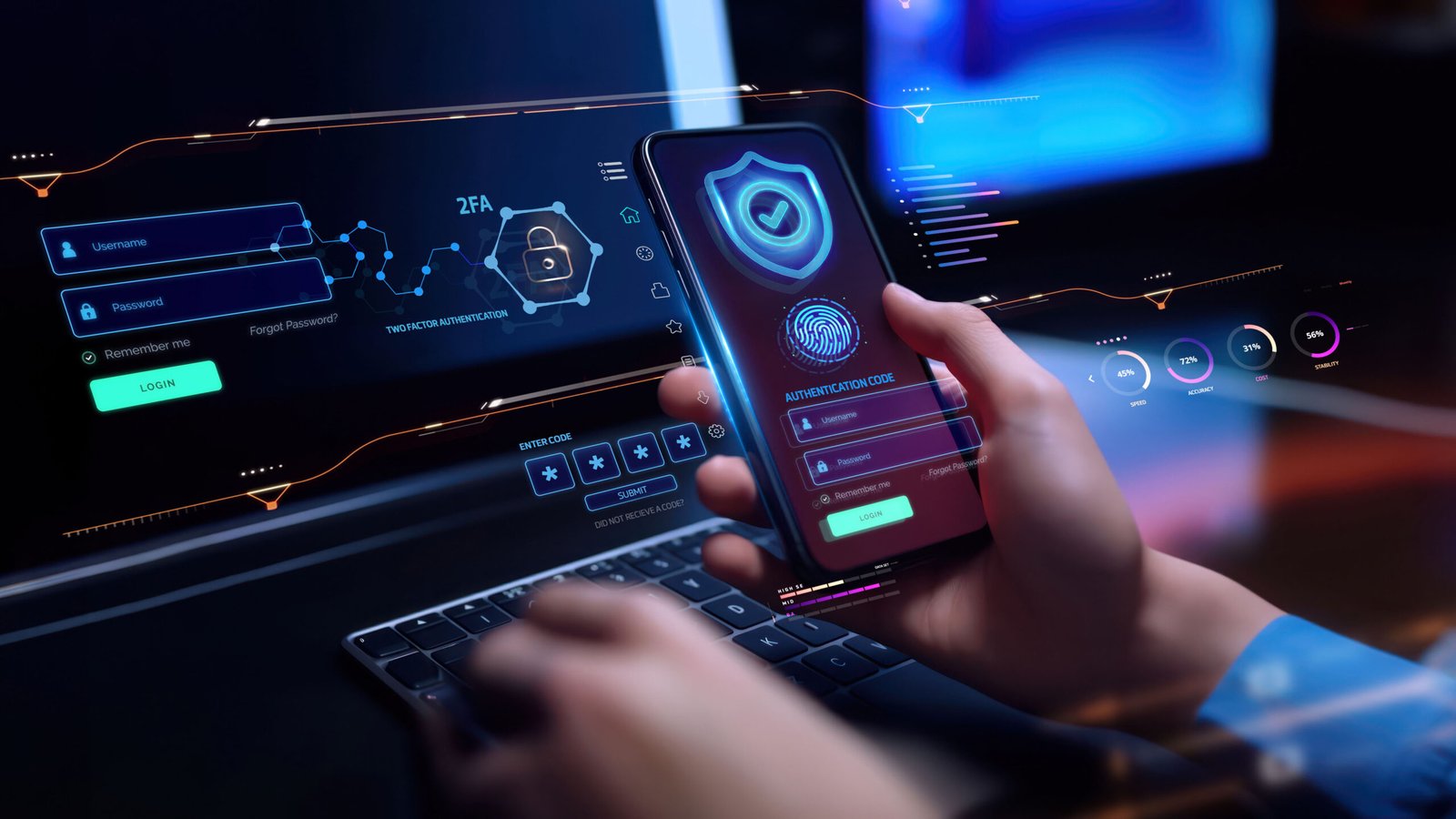
A phone may contain access to many important accounts. Email is especially important because it can sometimes be used to reset passwords for other services. Protect your key accounts with multi-factor authentication, often called MFA or two-factor authentication. MFA adds another verification step beyond your password. Depending on the service, that second factor may involve an authentication app, security key, passkey, or another approved method. This can reduce the damage caused by a stolen password. Do not assume that every verification method provides identical protection. Follow the security options recommended by the service you use. Keep backup recovery methods secure. Never give a verification code to someone who unexpectedly calls or messages you. A scammer may claim they need the code to verify your account. That code may actually allow them to sign in. Strong authentication is most effective when combined with unique passwords and careful responses to unexpected requests.
Use Strong and Unique Passwords
Using one password everywhere creates a serious security problem. If one service is breached and your password becomes known, attackers may try the same password on other accounts. Use unique passwords for important services. Long passwords or passphrases can be easier to manage when they are memorable but difficult to guess. A reputable password manager can help generate and store unique passwords. Protect the password manager itself with strong authentication. Do not write sensitive passwords in easily accessible notes on your phone. Avoid using predictable personal information. Your name, birthday, phone number, or favorite team may be easy for others to discover. If you believe a password has been exposed, change it promptly from a trusted device. Prioritize important accounts first, including email, financial services, and your primary device account. Password security becomes easier when you stop trying to memorize dozens of unique passwords yourself. A good password manager can reduce that burden while helping you avoid dangerous password reuse.
Learn to Recognize Phishing
Phishing is one of the most important mobile security threats to understand. A phishing message tries to convince you to reveal information, click a harmful link, download something, or send money. Messages may claim that your account has a problem. They may promise a reward or create urgency. Some appear to come from banks, delivery companies, employers, friends, or government services. Do not trust a message simply because it looks professional. Check the sender and the destination of links carefully. If a message claims your account needs attention, open the official application or type the organization’s known website yourself. Do not use a link from the suspicious message. Be especially cautious when someone asks for passwords, verification codes, payment information, or remote access. Apple specifically warns users about social engineering, including phishing messages and fake support calls. When something feels rushed or unusual, pause. A few seconds of careful checking can prevent a major mistake.
Be Careful With Public Wi-Fi
Public Wi-Fi can be useful in airports, hotels, cafes, libraries, and other places. However, you should not treat every network as trustworthy. Fake networks may use names that resemble legitimate services. Attackers can also attempt to manipulate users through unsafe connections. When possible, use a trusted cellular connection for sensitive tasks. If you must use public Wi-Fi, verify the network name with the business. Avoid entering sensitive information on suspicious websites. Make sure websites use secure connections and keep your phone updated. Do not automatically connect to unknown networks. Turn off automatic connection features if you do not need them. You should also avoid sharing sensitive files with unknown devices. A virtual private network may provide additional privacy in some situations, but it does not make you immune to phishing, malware, or account theft. The safest approach is layered protection. Use trusted networks when possible, secure your accounts, keep your device updated, and remain careful about what you access.
Protect Your Phone From Malware
Malware is harmful software designed to perform unwanted or dangerous actions. It may attempt to steal information, monitor activity, display unwanted content, or interfere with your device. On Android, Google Play Protect checks apps and devices for harmful behavior. It can warn users about potentially harmful apps and may disable or remove them. Google recommends keeping Play Protect enabled. This does not mean you should ignore your own judgment. Security tools are helpful layers, not guarantees. Avoid installing modified apps from unknown websites. Be careful with files sent through unexpected messages. Do not disable security features simply because an app or website tells you to. If your phone begins showing unusual behavior after installing something, investigate the newest app or change first. Signs can include unexpected pop-ups, unusual battery behavior, strange permissions, or unfamiliar applications. However, one symptom alone does not prove malware. If you suspect a serious compromise, use trusted security guidance and consider professional support.
Secure Your Bluetooth and Nearby Connections
Bluetooth allows phones to connect with headphones, cars, watches, computers, and other devices. It is convenient, but you should manage connections carefully. Pair your phone only with devices you recognize. Avoid accepting unexpected pairing requests. Remove old devices you no longer use. If you are in a crowded public area, be cautious about unfamiliar connection prompts. Nearby sharing features should also be configured carefully. Understand who can discover your device and who can send files or requests. Do not accept unknown files simply because a notification appears. Wireless features can be useful without remaining open to every nearby device. Review your connection settings occasionally. If you are not using a particular feature, consider whether you need it enabled. Security settings vary by device and operating system. Follow your manufacturer’s guidance for your specific phone. Good mobile security is often about reducing unnecessary exposure. The fewer unknown connections your phone accepts, the easier it is to understand what is happening on the device.
Protect Your Photos and Personal Files
Smartphones often contain years of personal memories. Photos may reveal family members, locations, events, documents, or private information. Protecting them is therefore an important part of mobile security. Use a secure screen lock and trusted cloud or offline backups. Review which applications can access your photos and files. Avoid giving broad access when selected access is enough. Be careful when sharing images publicly. A photo can sometimes contain more information than you expect. Documents may include addresses, identification details, or financial information. Remove sensitive files you no longer need. If you share your phone with someone, use appropriate device features rather than giving them unrestricted access. Cloud storage accounts should also use strong authentication. Backups are useful only if the account holding them is secure. Think about what would happen if your phone suddenly disappeared. If losing the device would also mean losing your photos, documents, and contacts, your backup strategy needs improvement.
Back Up Your Smartphone
Backups protect against device loss, theft, damage, accidental deletion, and some technical problems. A backup can help you recover important information after replacing your phone. Choose a backup method that fits your device and needs. Cloud backups can be convenient because they can run automatically. Offline copies may provide another layer for particularly important files. The key is checking that backups actually work. Do not assume a backup exists simply because you enabled a setting. Review the backup status and understand what information is included. Protect the account connected to your backup. If someone gains access to it, they may gain access to your stored information. Consider important files separately. Documents you cannot replace may deserve an additional copy. Backups are especially valuable before major device changes, repairs, or resets. A secure backup does not prevent an attack, but it can reduce the damage. If your phone fails tomorrow, you should be able to restore the information you genuinely need.
Protect Your Phone From Theft
Physical theft is another mobile security concern. Keep your phone secure in crowded areas. Avoid leaving it unattended in public places. Use a strong screen lock and enable device-finding features before anything goes wrong. On supported iPhones, Apple’s Stolen Device Protection adds stronger controls for sensitive actions when the phone is away from familiar locations. Certain actions require biometric authentication, and some account changes can require a security delay. Android users should also review the theft, location, locking, and account security features available on their specific device. If your phone disappears, act quickly. Use the device-finding service to locate or lock it when appropriate. Do not confront a person yourself if the device appears at an unfamiliar location. Apple advises users not to attempt recovery themselves in such circumstances. Contact the appropriate authorities if necessary. Also secure your important accounts and contact your mobile carrier if your situation requires it.
What to Do If Your Phone Is Lost
Losing a phone can be stressful, but quick action can reduce the risk. First, try to locate the device using its official tracking service. If you believe someone else has it, use the available lost or lock feature. This can prevent unauthorized access while you decide what to do next. Do not immediately remove a lost Apple device from Find My if doing so would remove Activation Lock. Apple specifically warns that removing the device can make it easier for a thief to resell. Next, secure important accounts from another trusted device. Change passwords when appropriate and review recent account activity. Contact your mobile provider if you need to suspend service or protect your number. If financial information may have been exposed, contact the relevant financial institution. If the phone contained work data, inform your employer or security team. A lost phone is not automatically a stolen identity. The risk depends on your protections and what information was accessible. Acting quickly gives you more options.
What to Do If You Think Your Phone Is Hacked
If you suspect your phone has been compromised, avoid panic. Start by identifying what changed. Did you install a new application? Click a suspicious link? Give someone a password or verification code? Notice an unfamiliar login? Write down the details. If an account may be compromised, use another trusted device to secure it when possible. Change exposed passwords and review account recovery information. Sign out unfamiliar sessions where the service allows it. Check installed apps and remove anything suspicious, but do not delete evidence if you may need professional investigation. Update your operating system and applications. Run built-in security checks where available. On Android, Google recommends Play Protect and checking device security updates when dealing with potentially harmful software. If the device remains seriously compromised, consider professional support or a full device reset after ensuring important data is backed up safely. Do not trust anyone who suddenly contacts you and demands payment to “fix” the phone.
Protect Your SIM and Phone Number
Your phone number can be connected to important accounts. It may also receive verification messages. This makes protecting your mobile number important. Use a PIN or security option offered by your mobile provider when available. Avoid sharing account information with strangers. Be cautious if someone suddenly asks you to confirm personal details related to your phone service. SIM-related attacks can be serious because an attacker may try to take control of a number. If your phone suddenly loses service without a clear reason, investigate promptly. Contact your carrier through an official channel. Do not use contact information supplied by a suspicious message. Your mobile number should not be treated as a secret password, but unnecessary public exposure can increase unwanted contact and scam attempts. Review which accounts depend on SMS verification. Where supported, consider stronger authentication methods such as authenticator apps, passkeys, or security keys. A layered approach reduces your dependence on one channel.
Keep Your Privacy Settings Under Control
Security and privacy are closely connected. Review which apps can access your location, camera, microphone, contacts, photos, and other sensitive information. Turn off access that you do not need. Pay attention to applications that request background access. You should also review location-sharing features and account privacy settings. Consider what information you publicly share through social media. Personal details can sometimes help attackers create convincing scams. Avoid posting information that could make password guessing or social engineering easier. Review your advertising and tracking choices when appropriate. Privacy settings vary widely between Android and iPhone devices, so use the controls available on your specific version. Do not expect privacy settings to stop every form of data collection. Instead, use them to reduce unnecessary access. Mobile security is stronger when you know what information your apps can access. Take a few minutes every few months to review permissions. Apps change, operating systems change, and your needs change. Your privacy settings should change with them.
Be Careful With QR Codes
QR codes are convenient, but the code itself does not guarantee that its destination is safe. A sticker placed over a legitimate QR code could redirect you elsewhere. A QR code in an unexpected message may lead to a fake login page. Before opening a link, consider where the code came from. Check the resulting web address carefully. Be suspicious if the page asks for sensitive information without a clear reason. A QR code that appears on a parking sign, restaurant menu, poster, or package may be legitimate, but you should still remain aware. Do not install an application merely because a QR code tells you to. Use official app stores or the service’s known website when possible. QR codes are simply another way to open content. They do not automatically make that content trustworthy. Treat QR-based links like other links. Check the source, destination, and request before entering information.
Mobile Security for Online Banking
Banking apps require extra care because they handle highly sensitive information. Use the official banking application from a trusted source. Keep your banking app and phone updated. Protect your device with a strong lock. Enable the strongest authentication options your bank supports. Avoid accessing financial services through links received in unexpected texts or emails. Instead, open the official application directly. Be cautious with calls claiming to be from your bank. If someone asks for your password, PIN, or verification code, contact the bank through its official number. Monitor account activity regularly. Turn on transaction alerts when available. These alerts can help you notice unusual activity quickly. Never give remote access to your phone to an unexpected caller. If you believe your banking information has been exposed, contact your financial institution immediately through a trusted channel. Mobile banking can be secure when you combine trusted software, strong authentication, careful browsing, and regular account monitoring.
Mobile Security for Work Devices
Work phones can contain business emails, customer information, documents, passwords, and internal applications. This makes workplace mobile security important for both employees and organizations. If your employer provides a phone, follow company security rules. Do not install unauthorized software if company policy prohibits it. Keep business accounts separate from personal accounts when required. Use approved storage and communication tools. If the device is lost, report it quickly. Your organization may have mobile device management controls that can lock or erase a device remotely. Do not attempt to bypass security controls. If you use your personal phone for work, understand what information your employer’s applications can access. Ask your organization about its policies if you are unsure. Businesses should also train employees to recognize phishing and social engineering. Technical controls alone cannot solve every security problem. A well-designed mobile security program combines secure devices, account protection, employee awareness, software updates, and clear response procedures.
Android and iPhone Security: What Should You Do?
Android and iPhone devices use different security systems, but the basic principles are similar. Both require strong screen protection, timely updates, safe app practices, secure accounts, backups, and careful responses to suspicious messages. Android users should keep Google Play Protect enabled. Google says it checks apps and devices for harmful behavior and can warn about or remove harmful apps. Android users should also check their device’s security update status. iPhone users can use features such as Find My and Stolen Device Protection when supported. Apple’s Stolen Device Protection adds biometric checks and security delays for certain sensitive actions. Neither platform should be treated as automatically safe. Security still depends on user choices. Keep your device updated, use strong authentication, avoid suspicious downloads, review permissions, and protect your accounts. The exact menu names may change with software versions. Always follow the current guidance for your particular phone model.
A Simple Mobile Security Checklist
You do not need to change every setting today. Start with the most important protections. Make sure your phone has a strong screen lock. Turn on automatic software updates when practical. Update applications regularly. Use multi-factor authentication on important accounts. Keep passwords unique and difficult to guess. Consider using a reputable password manager. Install apps through trusted sources. Review app permissions regularly. Keep Android’s Play Protect enabled if you use Android. Use device-finding and theft protection features available on your phone. Back up important information. Be careful with links, QR codes, attachments, and unexpected calls. Avoid sharing verification codes. Review your financial accounts for unusual activity. If your phone is lost, use its official tracking and locking tools quickly. These steps create several layers of protection. You do not need perfect security to make a meaningful improvement. Start with the controls that protect your most valuable information. Then add more protections as you become comfortable with them.
Common Mobile Security Mistakes
Many security problems come from simple habits. One common mistake is postponing updates for months. Another is using the same password across many accounts. Some users install applications from random websites without checking their source. Others give every app permission without reading the request. Clicking urgent links is another common problem. Attackers know that people make faster decisions when they feel pressure. Some users also share verification codes with callers pretending to provide support. Never assume a person is legitimate simply because they know your name or some information about you. Another mistake is failing to back up important files. A secure phone can still be lost or damaged. People also sometimes ignore small warning signs. An unfamiliar app, unexpected account notification, or sudden security message deserves attention. You do not need to become suspicious of everything. Instead, develop a habit of pausing before high-risk actions. Ask yourself who is requesting the information, why they need it, and whether you can verify the request independently.
How to Build a Simple Mobile Security Routine
The easiest way to maintain security is to make it a routine. Once a month, review your installed applications and remove those you no longer need. Check your important account activity. Review sensitive permissions. Confirm that backups are working. Make sure your device and apps are updated. Every few months, review your passwords and authentication methods. Check whether your phone still receives security updates. Think about what information you have stored on the device. If your needs have changed, update your security settings. You can also create a simple emergency plan. Write down official contact methods for your mobile provider, bank, and important online accounts. Keep recovery information in a secure place. If your phone disappears, you will not have to search for contact details while stressed. Good mobile security should become boring. When the important protections run automatically, you have fewer things to remember. A short routine can help keep your phone safer throughout the year.
Frequently Asked Questions
What is mobile security?
Mobile security is the protection of smartphones, tablets, applications, accounts, networks, and personal information. It includes technical tools and safe user habits. Strong screen locks, software updates, secure authentication, app permissions, backups, and phishing awareness are all important parts of mobile security.
Is mobile security important for everyone?
Yes. Almost anyone who uses a smartphone can benefit from basic security protections. Phones often contain private messages, photos, accounts, financial applications, contacts, and documents. Protecting the device helps reduce the chance that someone can access or misuse this information.
How can I improve my mobile security?
Start with a strong screen lock and current software. Use unique passwords and multi-factor authentication for important accounts. Install applications from trusted sources, review permissions, back up important data, and avoid suspicious links or unexpected requests for passwords and verification codes.
Is Android or iPhone more secure?
Both platforms provide strong security features, but no phone is completely risk-free. Security depends on the device, software version, applications, settings, and user behavior. Keeping your phone updated and following safe security practices is more important than relying on the brand alone.
What should I do if my phone is stolen?
Use your device’s official tracking and locking service as quickly as possible. Secure important accounts from another trusted device and contact your carrier if necessary. If financial information may be exposed, contact the relevant institution. Do not attempt to recover a stolen phone yourself.
Can mobile security prevent phishing?
Security tools can help detect some harmful websites and applications, but they cannot prevent every phishing attempt. Your decisions remain important. Be careful with unexpected links, urgent requests, fake support calls, and messages asking for passwords or verification codes. Verify requests independently.
Conclusion
Mobile security does not have to be complicated. You can protect a large part of your digital life by building a few strong habits. Start with a secure screen lock. Keep your phone and applications updated. Use trusted app sources and review permissions. Protect important accounts with unique passwords and stronger authentication. Learn how phishing works and pause before responding to unexpected messages. Back up your important information so a lost or damaged device does not become a major data loss. Enable tracking and theft protection features available on your device. Review your security settings regularly. The goal is not to become afraid of every link, application, or wireless connection. The goal is to become thoughtful about digital risks. Your smartphone is a powerful tool, and it deserves strong protection. Start with the most important steps today. A few minutes spent improving your security can provide valuable protection for your accounts, personal information, and digital life.
READ MORE: Remote Work in 2026: Benefits, Challenges, Best Practices, and the Future of Flexible Jobs